# Customize and Style Content

### Text Styling

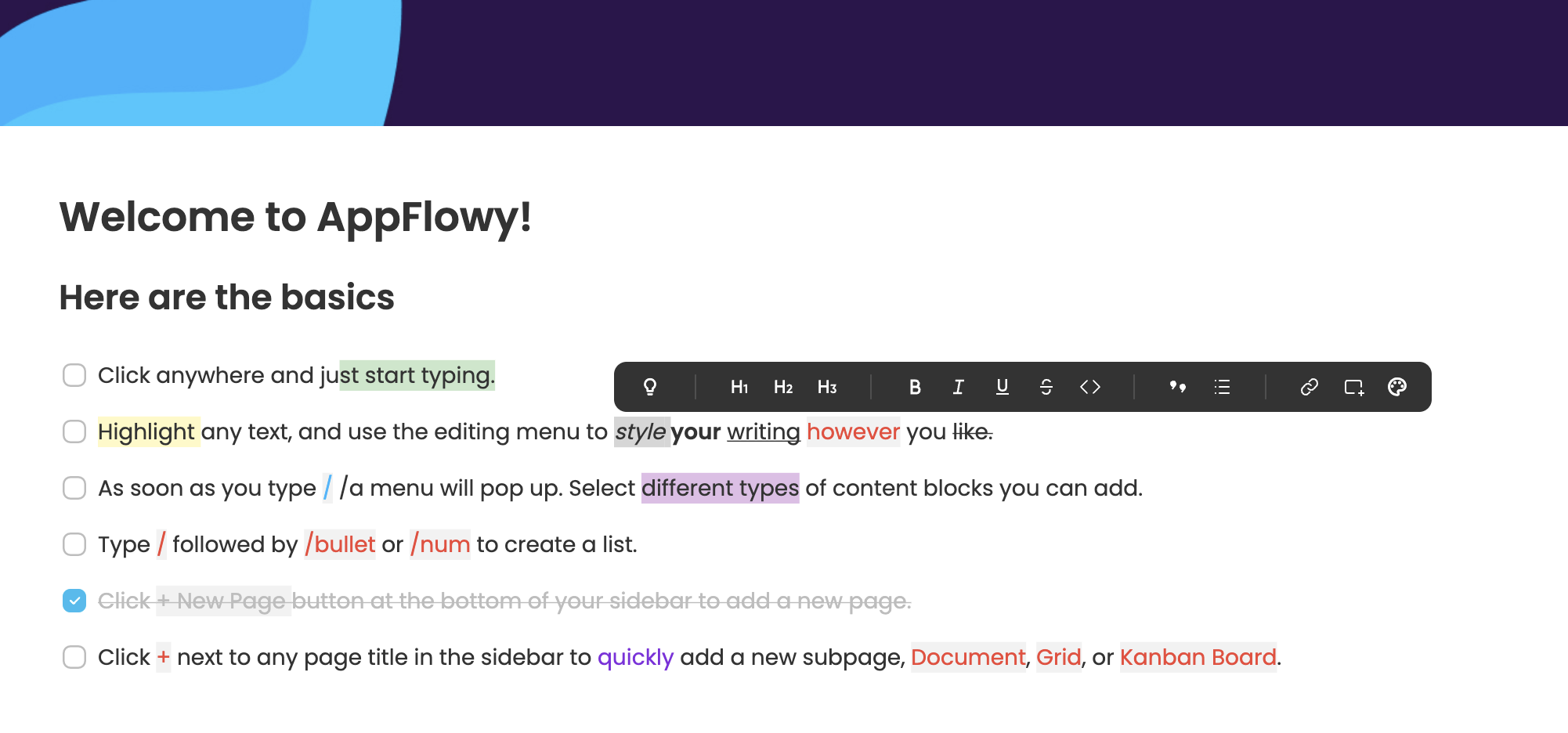
Highlight any text to trigger the toolbar menu to access styling features:

<figure><img src="https://1003959744-files.gitbook.io/~/files/v0/b/gitbook-x-prod.appspot.com/o/spaces%2Fvs4LQcuzr0JR34ApS5sM%2Fuploads%2Frpi2qHXxn7mvTMiPAMhg%2Fimage.png?alt=media&#x26;token=8729e81a-3751-4980-9c9f-e15e4675cc85" alt=""><figcaption></figcaption></figure>

You can also style with shortcuts. For example, `ctrl/cmd` + `b` for **bold** and `ctrl/cmd` **+** `shift` + **`h`** to <mark style="background-color:yellow;">highlight</mark>. A comprehensive list of shortcuts AppFlowy supports can be found [here](https://docs.appflowy.io/docs/~/changes/m6N8vk400Qj23REmHprl/essential-documentation/shortcuts).

### Markdown

* Type `*` or `-` followed by `space` to create a bulleted list.
* Type `-[]` to create a to-do checkbox. (There's no `space` in between.)
* Type -\[x] to create a checked to-do checkbox. (There's no space in between.)
* Type `1.` followed by `space` to create a numbered list.
* Type `#` followed by `space` to create an H1 header.
* Type `##` followed by `space` to create an H2 sub-header.
* Type `###` followed by `space` to create an H3 sub-header.
* Type `>` followed by `space` to create a quote block.
* Type \` around the text to format it as `code`.

Find a full list of [Markdown](#markdown) styling for AppFlowy.

### Color

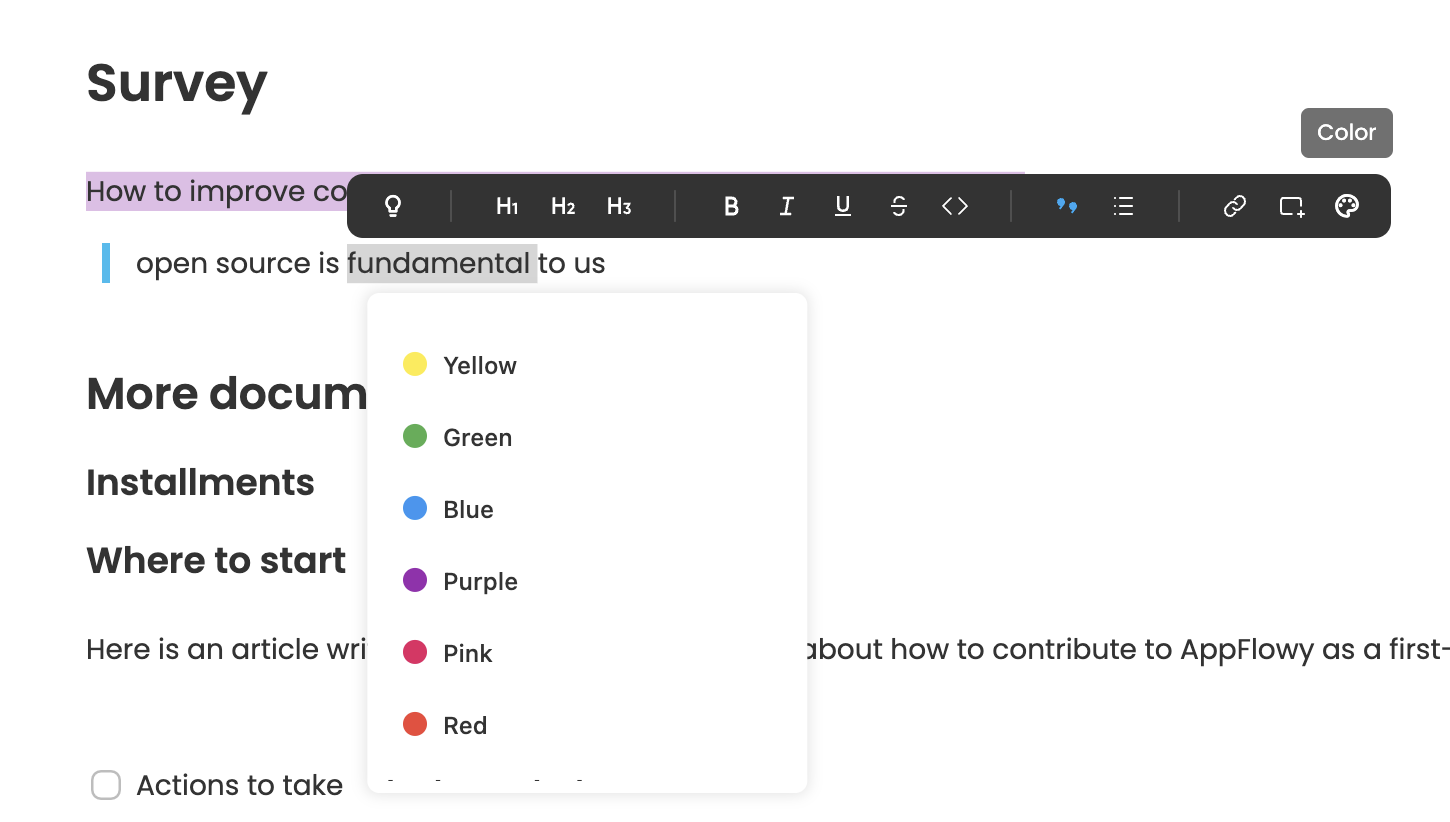
<mark style="color:red;">Color code</mark> your text or <mark style="background-color:purple;">highlight</mark> in your favorite color from the same menu you've used to bold, italic, underline, or strikethrough.

<figure><img src="https://1003959744-files.gitbook.io/~/files/v0/b/gitbook-x-prod.appspot.com/o/spaces%2Fvs4LQcuzr0JR34ApS5sM%2Fuploads%2FsyttqwUUClwKpGHsVlrS%2Fimage.png?alt=media&#x26;token=d602d8cc-6ab4-400a-9c9b-d67088bc1231" alt=""><figcaption></figcaption></figure>

### Callout

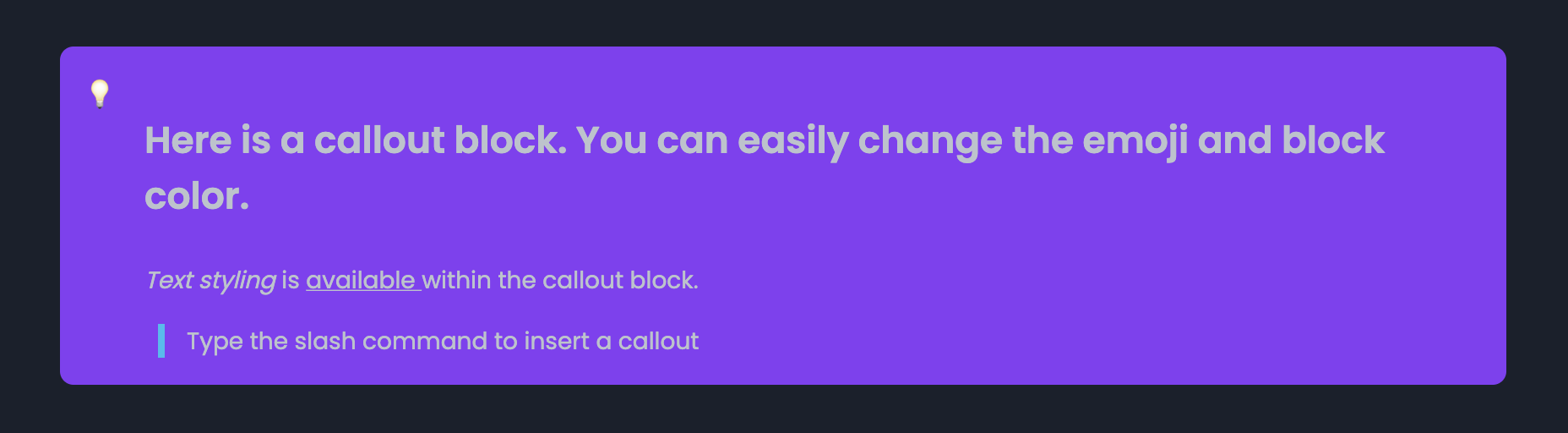
Use callouts to highlight specific text or include additional information. Maybe you want to add tips or actions. Here is what it looks like:

<figure><img src="https://1003959744-files.gitbook.io/~/files/v0/b/gitbook-x-prod.appspot.com/o/spaces%2Fvs4LQcuzr0JR34ApS5sM%2Fuploads%2F93b5f8kI0jgYLei9EDr7%2Fimage.png?alt=media&#x26;token=cfb0db0f-acbb-4041-b41a-c9daac9361f7" alt=""><figcaption><p>AppFlowy Callout</p></figcaption></figure>

Add a callout:

* You can type `/callout` and press `enter` to add it to your page.

Change the color:

* Hover on the callout block to trigger the action menu as indicated in the below screenshot
* Click to open menu
* Select `Color`

<figure><img src="https://1003959744-files.gitbook.io/~/files/v0/b/gitbook-x-prod.appspot.com/o/spaces%2Fvs4LQcuzr0JR34ApS5sM%2Fuploads%2FIV14XwI9vP2Oa8tbf6B8%2Fimage.png?alt=media&#x26;token=c2f2f9a5-21d2-46c2-865e-df269364d0fa" alt=""><figcaption></figcaption></figure>

<figure><img src="https://1003959744-files.gitbook.io/~/files/v0/b/gitbook-x-prod.appspot.com/o/spaces%2Fvs4LQcuzr0JR34ApS5sM%2Fuploads%2FCEcHEzulbU00f4LvyQFM%2Fimage.png?alt=media&#x26;token=4054c6e4-8d91-4379-b5b5-96f4a1c56b42" alt=""><figcaption></figcaption></figure>

### Cover

Add a banner image to the top of your page

* Hover over the top of any page and click `Add Cover`.

<figure><img src="https://1003959744-files.gitbook.io/~/files/v0/b/gitbook-x-prod.appspot.com/o/spaces%2Fvs4LQcuzr0JR34ApS5sM%2Fuploads%2FerJKTiYMlb80CBjrRDVF%2Fimage.png?alt=media&#x26;token=0fa63627-62c6-4bfe-a7dc-9d3c5151ff89" alt=""><figcaption></figcaption></figure>

* Hover over the cover that appears and choose `Change Cover`.

<figure><img src="https://1003959744-files.gitbook.io/~/files/v0/b/gitbook-x-prod.appspot.com/o/spaces%2Fvs4LQcuzr0JR34ApS5sM%2Fuploads%2FUBVV9j15hAjUQobZ48VD%2Fimage.png?alt=media&#x26;token=12e16d62-a444-4008-bef7-d6c34355df5e" alt=""><figcaption><p>AppFlowy Cover Art</p></figcaption></figure>

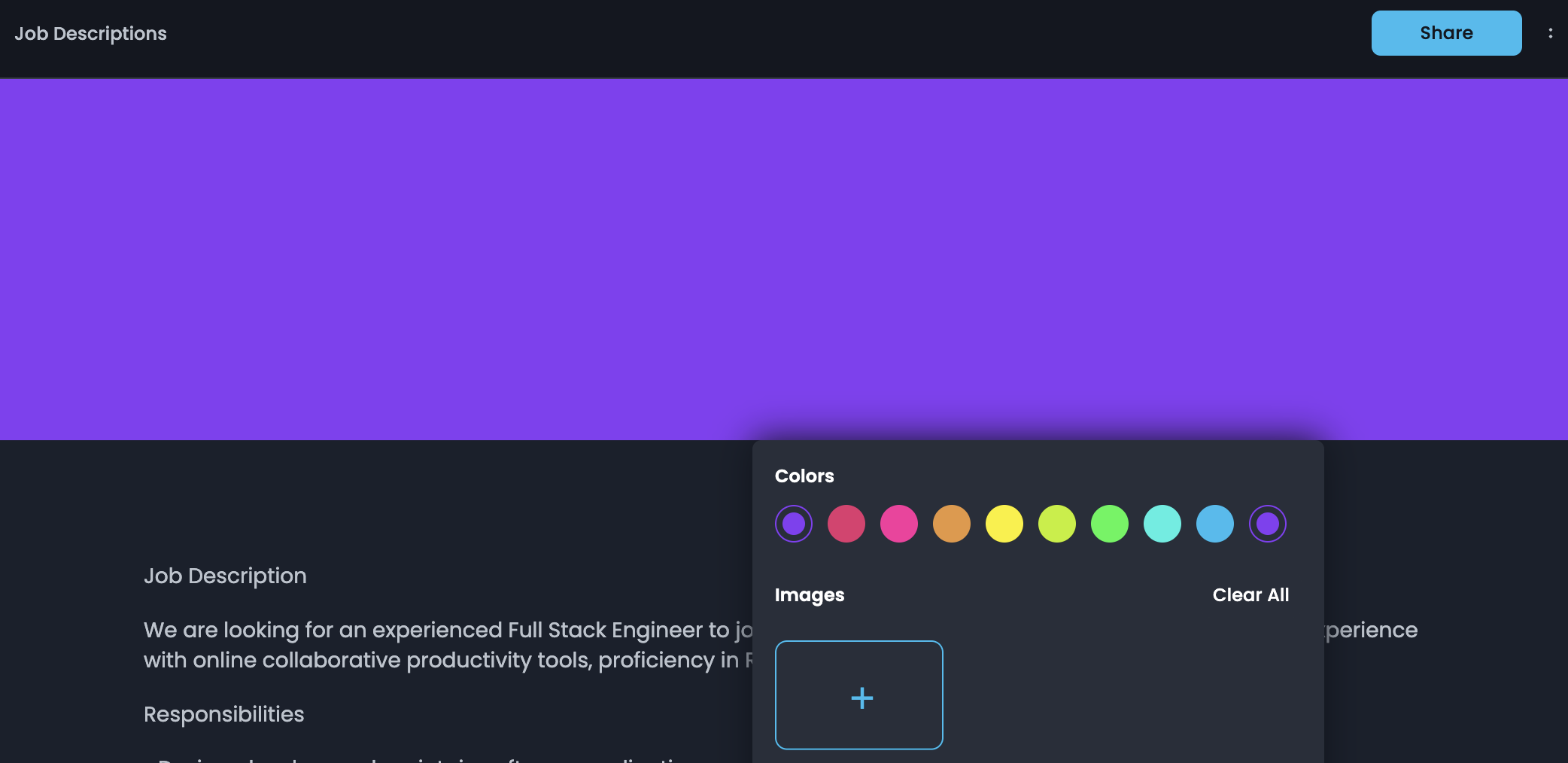
* Pick a color or upload an image from your device&#x20;

<figure><img src="https://1003959744-files.gitbook.io/~/files/v0/b/gitbook-x-prod.appspot.com/o/spaces%2Fvs4LQcuzr0JR34ApS5sM%2Fuploads%2FQEaiEbeB3g3VCVGdxO5u%2Fimage.png?alt=media&#x26;token=f462e42d-1fb1-4563-bed1-999955df925e" alt=""><figcaption></figcaption></figure>

<figure><img src="https://1003959744-files.gitbook.io/~/files/v0/b/gitbook-x-prod.appspot.com/o/spaces%2Fvs4LQcuzr0JR34ApS5sM%2Fuploads%2FzWTcOmd8qoPOfAuZLCxz%2Fimage.png?alt=media&#x26;token=c0268003-7743-4c8d-8429-34d79a4379c9" alt=""><figcaption><p>Upload an Image </p></figcaption></figure>